This article is for administrators.
Overview
It's common for applicants to apply to multiple jobs on your website. If an applicant is not a fit for one job, they might not be a fit for others.
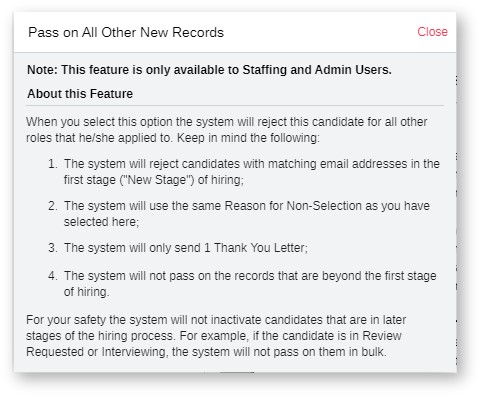
- This applies only to the other new records of that candidate where they use the same email address.
-
For example:
- If a candidate applies to six jobs on your website, you can pass on them all at once if they are new site applicants or new posting responses.
- If one of those records was updated and the applicant was moved to a stage like Schedule Phone Screen, then you can pass on the five new instances of the candidate's record and not the one in Schedule Phone Screen.
- Recruiting makes it easy for you to see the other jobs an applicant has applied for.
- Details about this feature are displayed in this sample image:
Steps to Pass on Candidates
- In Recruiting, go to a new candidate's record.
- Hover your mouse over the Red button.
- At the very bottom of the Reasons for Non-Selection, mark the checkbox to pass on all new applicant records still in the new stage with the same email address.

Updated: May 11th, 2026 7456 views 0 likes
*This content is for educational purposes only, is not intended to provide specific legal advice, and should not be used as a substitute for the legal advice of a qualified attorney or other professional. The information may not reflect the most current legal developments, may be changed without notice and is not guaranteed to be complete, correct, or up-to-date.