This article is for administrators.
Overview
This is Step 4 in the process to set up and use Smart Sourcing for Recruiting.
- For all steps, see the Smart Sourcing User Guide
Smart Sourcing analyzes your job description and provides candidate profiles that closely match your description.
This article describes how administrators and Smart Sourcing Managers calibrate a job to fine-tune the unwritten qualities that identify the best potential candidates.
When a job is ready to calibrate, the Smart Sourcing Manager assigned to that job receives a notification.
Calibrate job profiles in Smart Sourcing
- After receiving a notification, the Smart Sourcing Manager logs into Paycor and goes to People > Hiring > Applicant Tracking. Paycor Recruiting appears.
Tip:
- If you have not received a notification, verify your notification settings in Paycor Recruiting by clicking the settings (gear) icon at the top-right of Recruiting, then click Notification Settings.
- You can opt to receive the calibration status notifications in the Recruiting Notification Center, by Email, or both.

- At the top-left, click Calibrations. The job that needs calibration opens.

- At the top-right of the job description screen, click Calibrate.
- This launches Smart Sourcing, and you might see a notification when it loads the Smart Sourcing Summary screen.


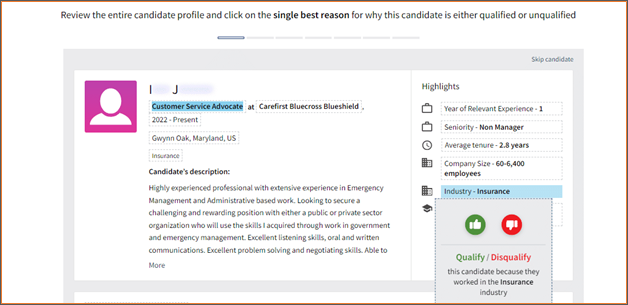
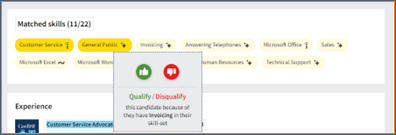
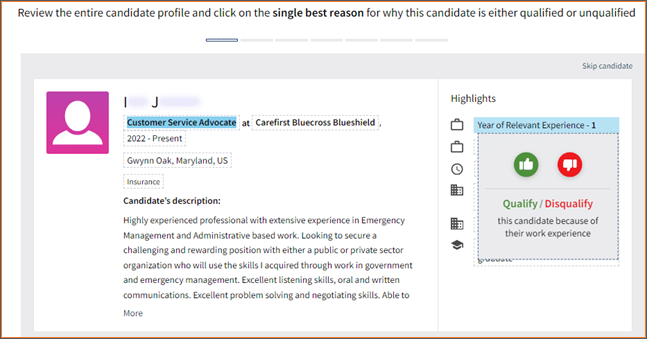
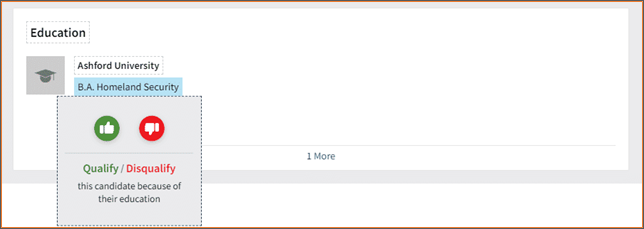
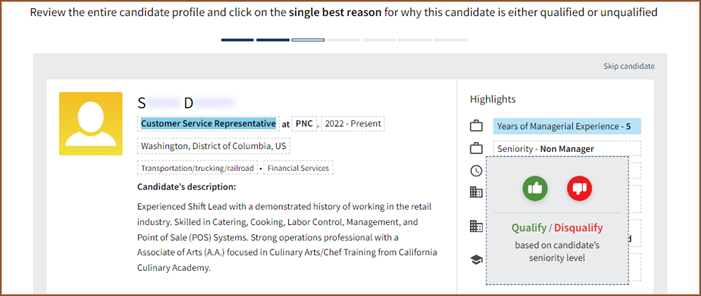
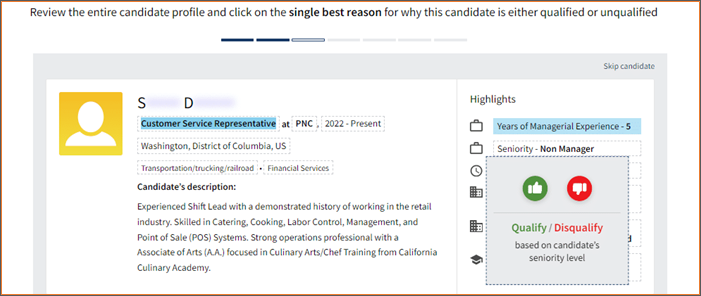
- Candidates are evaluated as:
- Qualifying: Prefer candidates with these qualities.
- Disqualifying: Don't want candidates with these qualities.
-
Note: To get the best candidates, managers must rate at least 7 profiles.

- After you finish, you can then select a sourcing method for candidates.
Smart Sourcing Qualify and Disqualify Reasons
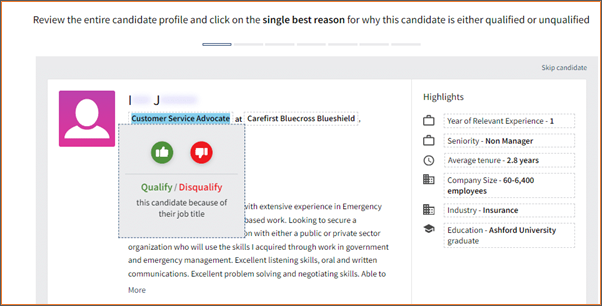
| Job Title |
Qualify/Disqualify candidates because of their job title:
|
|---|---|
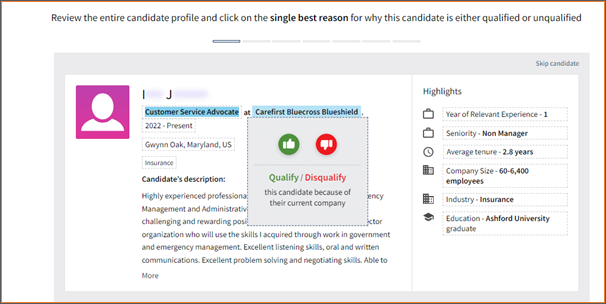
| Current Company |
Qualify/Disqualify candidate because of their current company.
|
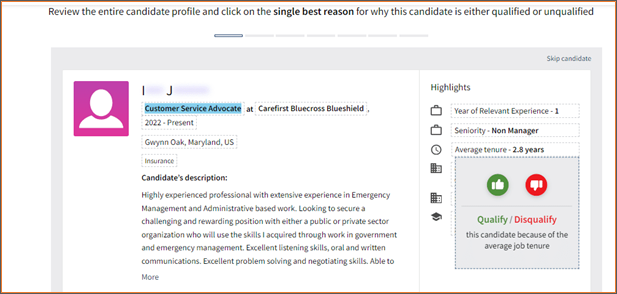
| Job Tenure |
|
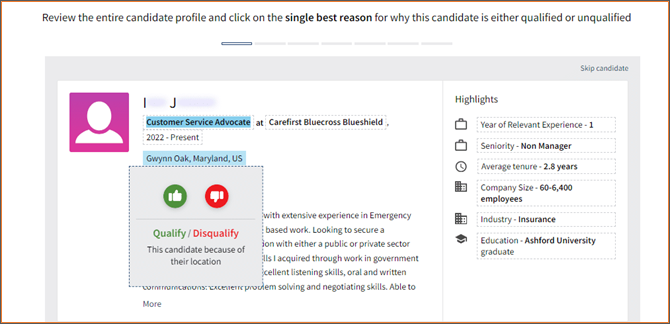
| Location |
|
| Industry |
|
| Matched Skills |
|
| Years of Experience |
|
| Education |
|
| Managerial Experience |
|
| Seniority |
|
Updated: March 12th, 2026 10778 views 1 likes
*This content is for educational purposes only, is not intended to provide specific legal advice, and should not be used as a substitute for the legal advice of a qualified attorney or other professional. The information may not reflect the most current legal developments, may be changed without notice and is not guaranteed to be complete, correct, or up-to-date.